Edit your public page
Update the public business description, rich About content, website, order minimum, header image, and profile images shown through Higher Origins.
Updated Sep 17, 2026 Source reviewed Sep 17, 2026 2 minute read
For: business ownersbrand managersmarketing teams
About and Settings have different jobs
Your Page is the selected business's public identity. About controls the story and description buyers read. Settings controls the display name, website, order minimum, and images used to present that identity.
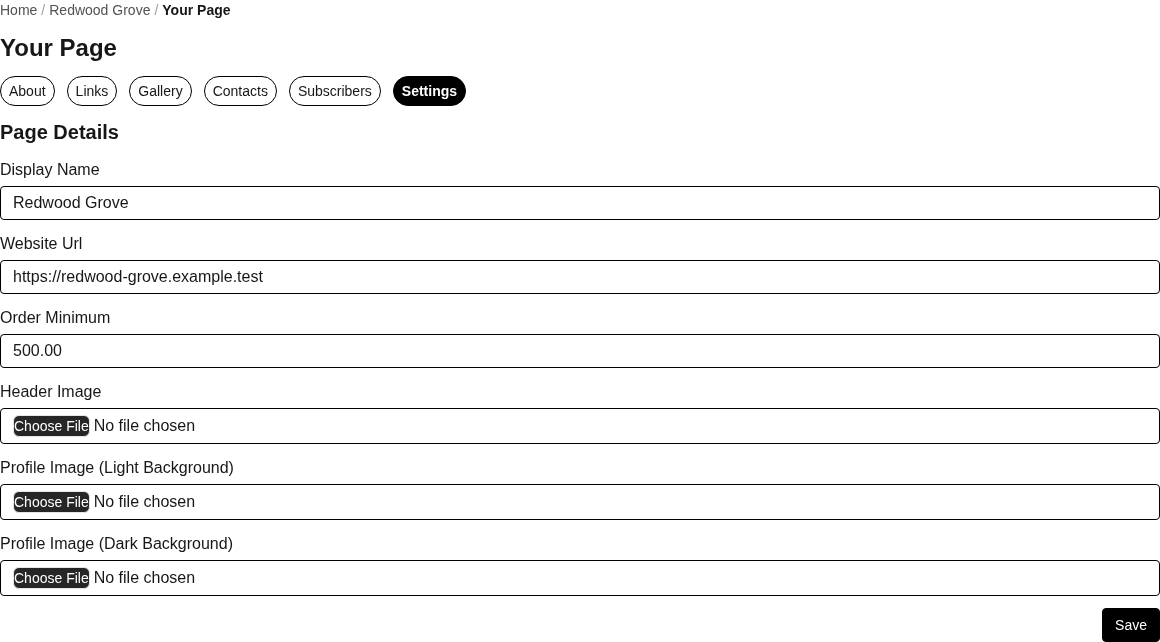
Your Page settings control the selected business's public identity, website, order minimum, and page images.
Update About content
Open Your Page and choose About.
Write a concise Description that explains what the business is and who it serves.
Use the richer About field for origin, capabilities, product focus, service area, or other buyer-relevant context.
Choose Save and review the public result.
Write for a buyer who may be discovering the company for the first time. Keep licensing, geographic, product, and service claims current. Do not place private contact information or compliance credentials in public prose.
Update page settings
Display Name is the public-facing business name.
Website URL sends visitors to the business's primary site.
Order Minimum communicates the baseline order value where it is displayed.
Header Image creates the wide visual treatment at the top of the page.
Light and Dark Profile Images let the logo remain legible in different visual contexts.
Save the settings, then inspect the public page on desktop and mobile. Check image cropping, logo contrast, spelling, links, and any order minimum before using the page in outreach.
Continue building the page
Use Links for websites and social destinations, Gallery for public images, Contacts for approved people, and Subscribers to review recorded followers. Each public contact should be deliberately marked for public display.
Related guides
Your Page: understand About, links, gallery, contacts, subscribers, and settings
Add and organize page links: build the page's public link collection
Update your business details: maintain the owning business workspace
Create and publish a product: prepare products associated with the business identity